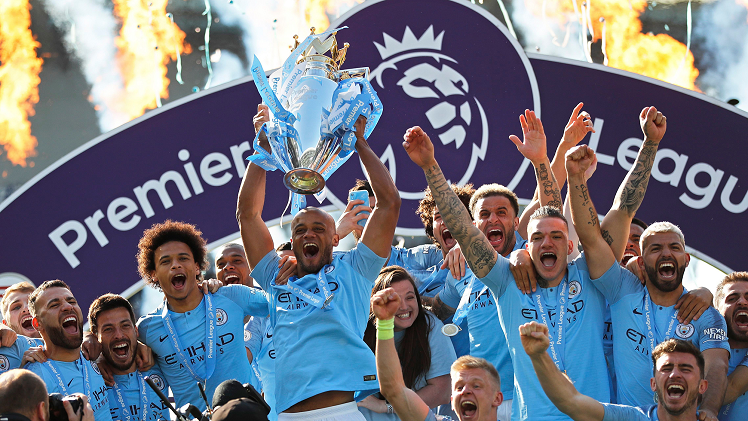
In the world of online football streaming, video quality makes a significant difference. Whether you’re watching a last-minute goal or analyzing a replay, blurry visuals or constant buffering can quickly ruin the experience. For Premier League fans, getting the best streaming quality is essential—but it also needs to match your internet connection to ensure stability.
Choosing the right resolution isn’t just about setting it to the highest level. It’s about balancing quality with speed, device capability, and bandwidth usage. In this article, we explore how to optimize your Premier League viewing by selecting the right streaming quality based on your network.
Why Streaming Quality Matters for Football Fans
Premier League matches are full of fast-paced action. From quick passing sequences to high-speed counterattacks, every detail counts. Watching in high definition lets you enjoy:
- Crisp visuals of player movement
- Clear replays of goals and fouls
- Better appreciation of pitch layout and tactics
- Enhanced viewing on larger screens
However, if your internet isn’t fast or stable enough, high-quality streams may pause, buffer, or drop in clarity—frustrating experiences that can be avoided with the right setup.
Understanding Common Streaming Resolutions
Different streaming platforms offer a variety of quality settings. Here are the most common ones, along with the internet speeds they typically require:
| Resolution | Description | Recommended Speed |
| 144p | Very low quality | 0.5 Mbps |
| 360p | Standard definition | 1.0 Mbps |
| 480p | SD, smoother visuals | 2.5 Mbps |
| 720p | HD, decent clarity | 5.0 Mbps |
| 1080p | Full HD | 10 Mbps |
| 4K (2160p) | Ultra HD | 25 Mbps+ |
If you’re unsure of your current internet speed, you can use a speed test tool to determine the most suitable resolution for your setup.
How to Match Streaming Quality with Your Internet Speed
1. Test Your Network Before the Match
Run a quick speed test before the game starts. This helps you avoid mid-match buffering or the need to adjust settings on the fly.
2. Use Adaptive Bitrate Streaming (If Available)
Many modern platforms automatically adjust video quality based on your connection. This ensures uninterrupted playback but may sacrifice clarity during speed dips.
3. Manually Adjust Quality for Control
If you prefer consistency, set the quality manually. For example:
- 5–10 Mbps: Opt for 720p or 1080p
- 2–5 Mbps: Stick with 480p for smoother playback
- Under 2 Mbps: Use 360p or lower to avoid buffering
While high definition is tempting, stability is more important for enjoying the full match without interruptions.
Goaldaddy: Smooth Streaming Built for Football
If you’re looking for a platform that balances high-quality streaming with smart performance optimization, Goaldaddy offers a football-specific streaming experience. Known for low-latency streams and a user-friendly interface, Goaldaddy delivers Premier League coverage that adjusts effectively to your internet speed.
With Goaldaddy, users can stream matches in HD or standard resolution depending on their connection, all while enjoying fast startup times and minimal buffering. For fans who care about quality and stability equally, it’s a platform worth exploring.
Additional Factors That Affect Streaming Quality
1. Device Capabilities
Your device plays a major role in what resolution it can handle. For instance:
- Older phones or tablets may struggle with HD playback
- Modern smart TVs typically support Full HD and 4K
- Laptops and PCs vary based on screen resolution and processor speed
Always check your device settings before attempting higher resolutions.
2. Wi-Fi vs. Ethernet
Streaming over Wi-Fi may experience occasional signal drops, especially with multiple users connected. For the most stable connection:
- Use an Ethernet cable for smart TVs or desktop computers
- Position your router in an open area if you’re using Wi-Fi
- Limit the number of active devices during match time
3. Background Apps and Downloads
Streaming quality can drop if your bandwidth is being used by background apps or downloads. Close unused programs and pause large updates to ensure the best matchday experience.
Regional Access and Streaming Tips for Thai Fans
In Thailand, internet speeds can vary greatly depending on location and provider. Fans often turn to local streaming solutions that cater specifically to Thai viewers.
If you’re based in Thailand and looking for match access that balances video quality and reliable links, platforms like ดูบอลสด hd are often recommended. These services provide curated streaming options tailored to local bandwidth and commentary preferences, making them a practical choice for fans in the region.
Tips for Improving Streaming Performance
1. Restart Your Router Before Match Time
This clears memory and ensures a fresh connection.
2. Use the Latest Version of Streaming Apps
App updates often include performance enhancements that improve streaming stability.
3. Watch During Off-Peak Hours (When Possible)
If you’re watching match replays or highlights, streaming during non-peak times can improve performance.
4. Adjust Resolution Based on Screen Size
There’s no need for 1080p on a small phone screen—720p or even 480p often looks just as sharp while saving bandwidth.
Choosing the Right Platform Matters
Beyond just internet speed, the streaming provider itself affects quality. Some platforms overload during high-traffic matches, while others are designed to scale effectively.
Choosing a reliable service with a solid infrastructure ensures your stream doesn’t suffer when tens of thousands of viewers log in at once. For fans who prioritize consistency, platforms like Goaldaddy deliver an experience optimized for high-traffic events like Premier League matches.
Final Thoughts
Streaming Premier League matches online should be smooth, clear, and enjoyable. But to make that happen, it’s crucial to align your video resolution with your actual internet speed and device capabilities.
With the right platform, a stable connection, and a few smart adjustments, you can experience world-class football without interruption. Whether you’re watching through Goaldaddy or accessing local streams via ดูบอลสด, the key to uninterrupted enjoyment lies in choosing the quality that best fits your setup.
With a little preparation, you’ll never miss a pass, goal, or dramatic finish—no matter where or how you watch.